


Lilo
Virtual study rooms

Virtual study rooms where someone's always studying

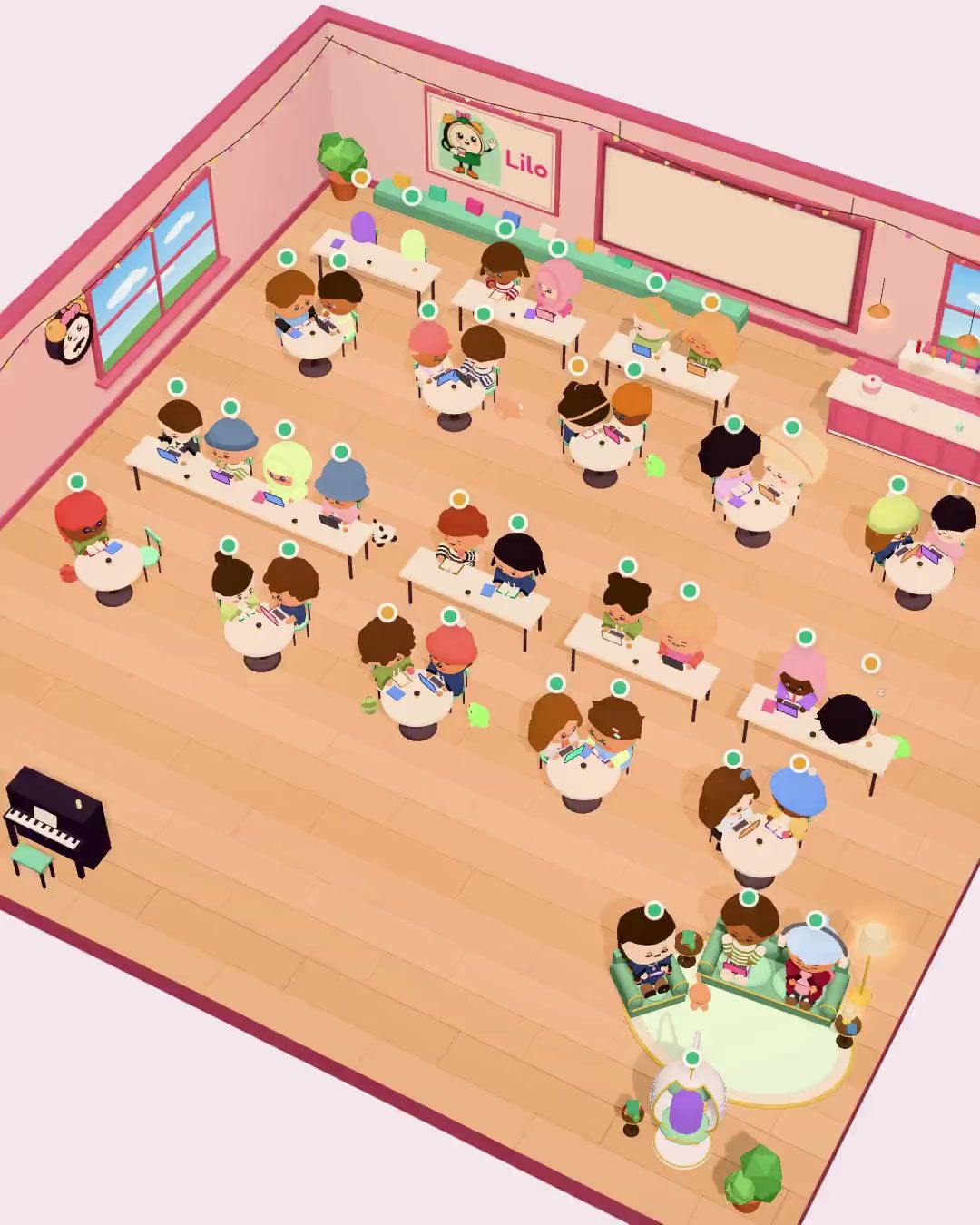
Sit at a desk in a cozy 3D room, start your timer and study next to students from all over the world. Or make a private room for your friends.

Scan to get LiloYour phone's camera opens the right store.

Students studying together in a Lilo study room, each with a name tag, a country flag and their study time Café study room
Students studying together in a Lilo study room, each with a name tag, a country flag and their study time
Study rooms

Study together. From anywhere.

Sit down next to students from 190+ countries, or open a room just for your friends.

  • Public rooms

    Someone is always studying, day and night.

  • Private rooms

    Just your friends, a room code and a chat.

  • Make it yours

    Decorate your room and dress up your character.

What is a virtual study room?

A virtual study room is a place where you study alongside other people without being in the same building. Seeing someone else at their desk makes it easier to start and harder to quit, the same reason libraries and "study with me" videos work so well.

In Lilo, the room is a real 3D space. You pick a free desk, your character sits down and your timer starts. Everyone gets a name tag with their country flag and a clock that keeps running while they focus, so you always see who has been at it the longest. When your session ends, you stand up and walk out, and the time counts toward your streak and your challenges like any other session.

Why students study in Lilo rooms

  • Someone's always there

    Students from 190+ countries study in Lilo, so the rooms are busy at 3 pm and at 3 am.

  • Real study time, not just a status

    Name tags show how long each person has been studying in this session, live.

  • Private rooms for friends

    Make a room for your class or your friends, share the code, chat on breaks and decorate it together.

  • Your own character

    Choose the face, hair, clothes and extras, and bring a pet. Even a tiny Lilo can sit by your desk.

  • A room for every mood

    Study in the Classroom, the Café, the Library or on the Seaside terrace, plus seasonal rooms like the Haunted classroom.

  • It's your normal timer

    Focus or Pomodoro, your session runs as usual and counts toward your streak, stats and challenges.

How to join a study room

  1. Open the Rooms tab

    Lilo takes you to a busy room in your language or one where your friends already sit.

  2. Pick a free desk

    Tap any empty desk. Your character walks over and sits down.

  3. Start your timer

    Choose Focus or Pomodoro and what you're working on. Your name tag starts counting.

  4. Study, then walk out

    Wave at the people around you. When the session ends, you head out and your time is saved.

Study room FAQ

Are Lilo study rooms free?

Yes. Sitting in study rooms is free. Some extras, like lounge seats, room decorations and premium outfits, come with Lilo Premium.

Do study rooms use my camera or microphone?

No. Other students see your character, your username, your country flag and your study time. There is no camera and no microphone.

Can I chat in a study room?

Public rooms stay quiet: you can wave at the people around you. Private rooms have a chat for you and your friends.

How do I study with my friends?

Create a private room in the Rooms tab and share its 6-character code or an invite link. Friends join with the code and sit at the desks around you.

Is there a study room on PC or in the browser?

No. Lilo study rooms are part of the mobile app for iPhone, iPad and Android.

your desk is waiting.

Download Lilo, open the Rooms tab and sit down next to students from all over the world.

Scan to get LiloYour phone's camera opens the right store.