
| # | App | Best for | Platforms | Price |
|---|---|---|---|---|
| 1 | Lilo Study Timer | Best overall + studying with friends | iOS, Android | Free + premium |
| 2 | Notion | Organising your semester | iOS, Android, Web | Free + premium |
| 3 | Quizlet | Flashcards & revision | iOS, Android, Web | Free + premium |
| 4 | Google Calendar | Timetables & deadlines | iOS, Android, Web | Free |
| 5 | Rico | Learning vocabulary | iOS, Android | Free + premium |
| 6 | Pablito | Learning a language | iOS, Android | Free + premium |
| 7 | Forest | Beating phone distractions | iOS, Android | Paid (iOS), free + premium (Android) |
A new term always starts the same way: you download ten apps, use them for a week, then forget all but one. The trick is not finding more apps. It is picking the few that actually stick once the back-to-school motivation wears off.
Here are the best back to school apps for students in 2026, ranked by what each is genuinely best at. Build your setup from the top of the list, not the whole thing.
How we picked the best back to school apps
Every app here had to earn its place on your home screen:
- It solves a real back-to-school job. Focus, organisation, revision or deadlines.
- It survives past September. The best apps build a habit, not a new-term buzz.
- It has a free version. No student should pay just to start the term.
- It works on your phone. iOS and Android first.
1. Lilo Study Timer: best overall
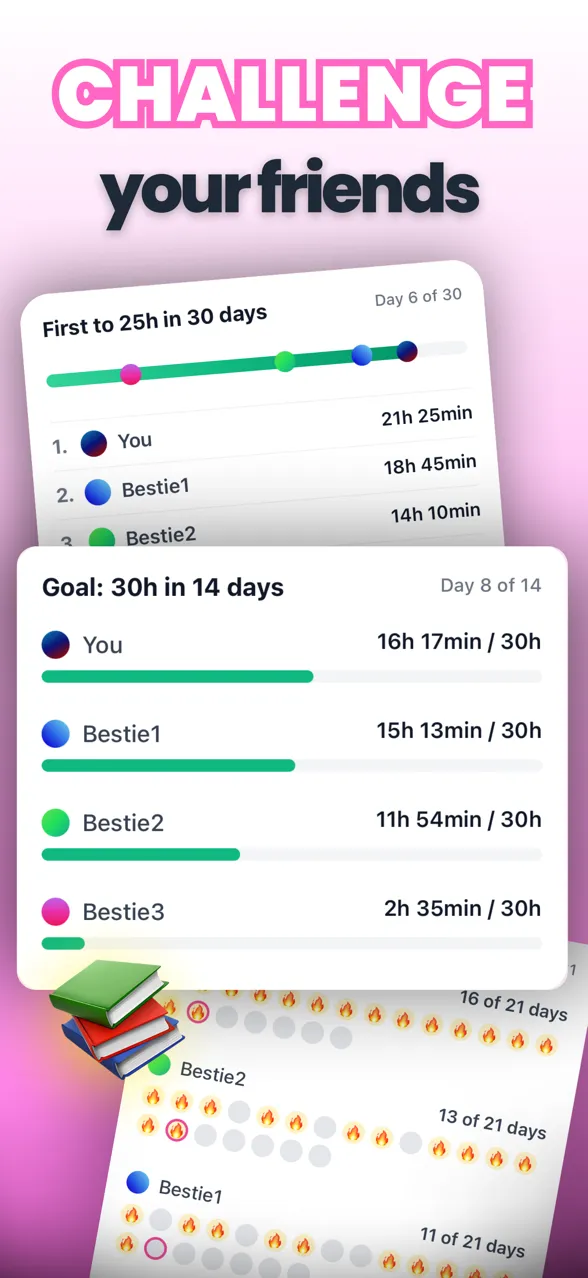 Lilo turns study time into challenges and rankings you take on with friends.
If you download one app this term, make it Lilo Study Timer. It is the focus timer that does not let your motivation quietly die in week three, because it is built around studying with friends.
You run a focus timer linked to your tasks, and every session feeds your streak, your stats and a study challenge with friends. Race a friend to a study-hour goal, climb a leaderboard, or keep a streak alive together. With a study planner, subject stats and built-in study music, it is a focus timer, planner and motivation app in one, exactly what a new term needs.
- Best for: focus, motivation and studying with friends
- Platforms: iOS, Android
- Price: free, with an optional premium upgrade
- Get it: Download Lilo free
2. Notion: best for organising your semester
 Notion keeps notes, tasks and project pages in one organised workspace.
Notion is where a lot of students keep their whole semester: lecture notes, reading lists, assignment trackers and project pages, all in one flexible workspace. There is a learning curve, but a tidy Notion setup at the start of term pays off all year.
- Best for: notes, planning and keeping every course in one place
- Platforms: iOS, Android, Web
- Price: free for personal use, with paid plans
3. Quizlet: best for revision
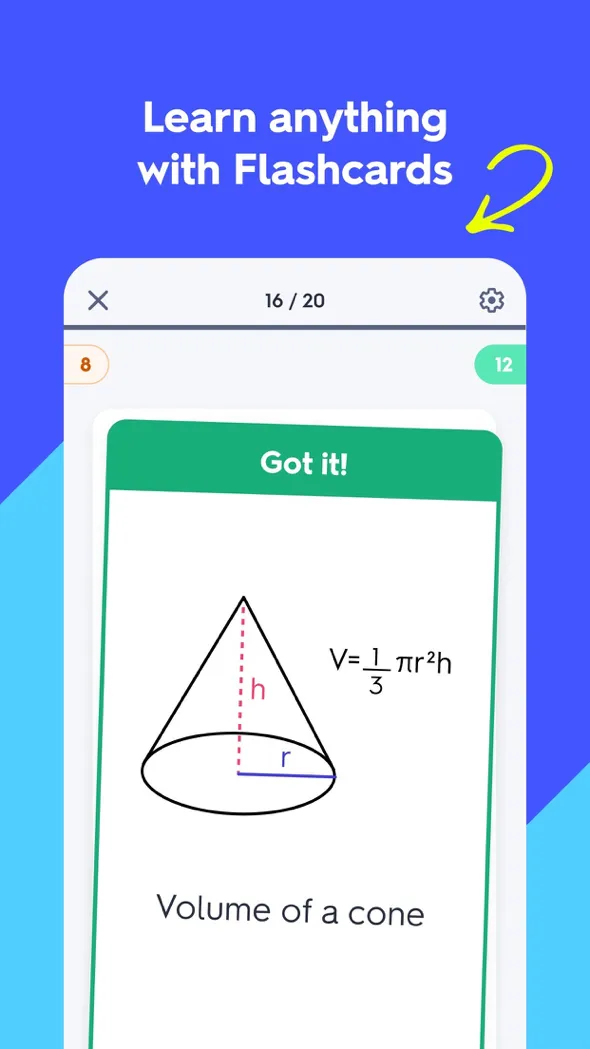 Quizlet turns any topic into flashcards, quizzes and study games.
When tests come around, Quizlet is the fastest way to turn your material into flashcards and drill it with quizzes and games. Make your own sets or use the millions students have already shared.
- Best for: flashcards and exam revision
- Platforms: iOS, Android, Web
- Price: free, with a premium tier
4. Google Calendar: best for timetables and deadlines
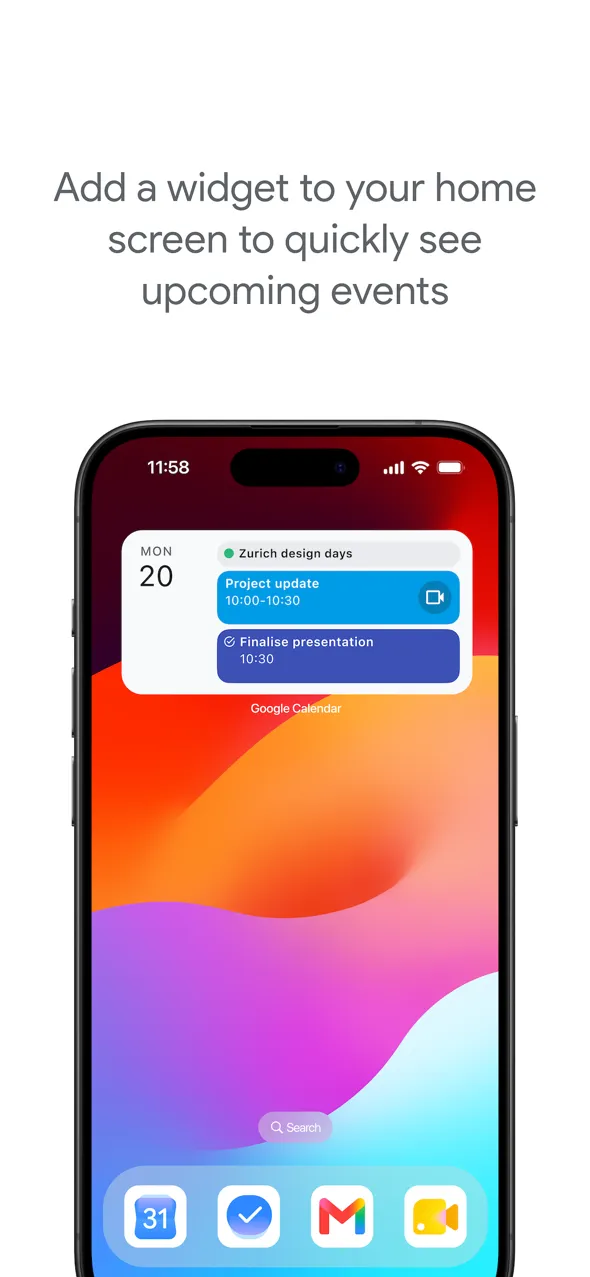 Block classes, study sessions and deadlines, then get a reminder before each one.
A new timetable plus a pile of deadlines is what overwhelms most students in week one. Google Calendar tames it: drop in your classes, block study time, add every due date and let the reminders do the remembering for you.
- Best for: timetables, deadlines and time-blocking
- Platforms: iOS, Android, Web
- Price: free
5. Rico: best for learning vocabulary
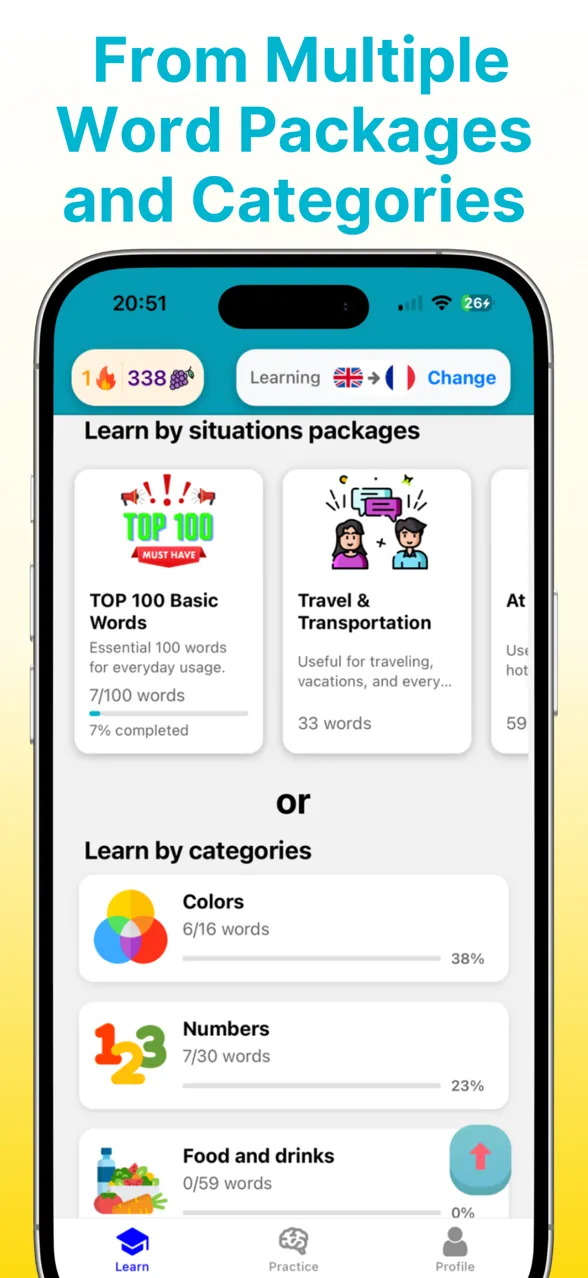 Rico teaches core vocabulary with a swipe-based method and themed word packs.
If a language is on your timetable, vocabulary is where the marks are, and Rico makes building it fun. Its swipe-based method feels like a social app: swipe to mark a word known, to review, or to mark it mastered. You start with the core words that cover most everyday conversation, grouped into practical packs.
- Best for: building vocabulary fast for a language class
- Platforms: iOS, Android
- Price: free, with a premium upgrade
6. Pablito: best for learning a language
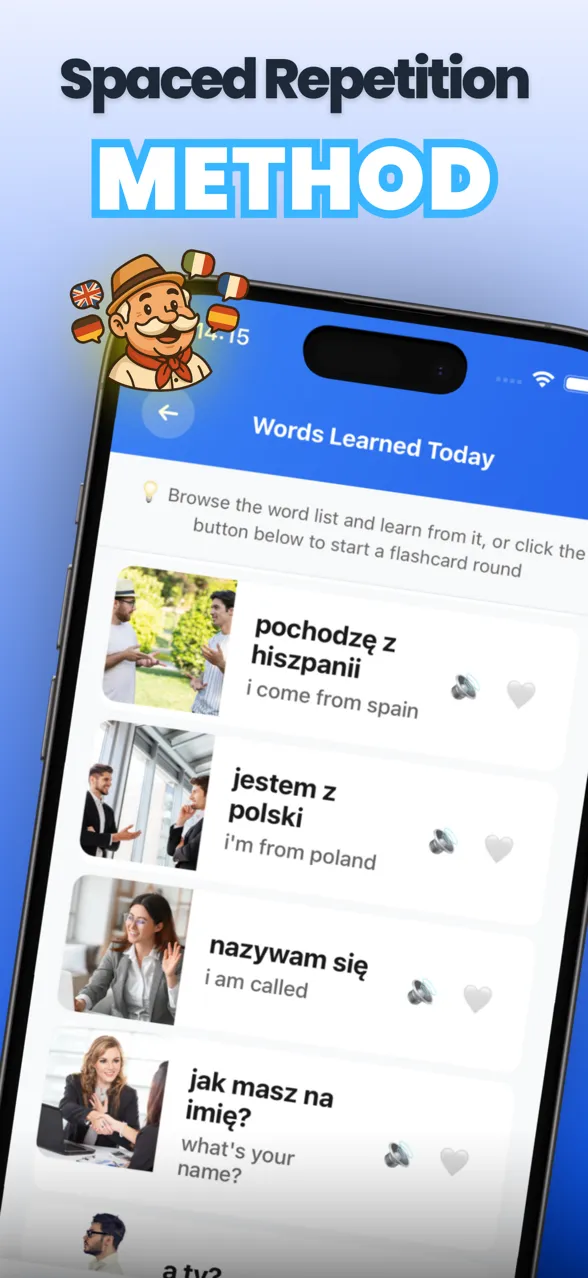 Pablito teaches languages with CEFR levels, native audio and spaced repetition.
For a whole language rather than just words, Pablito gives you a structured path built on the Oxford 5000 and organised into CEFR levels from A1 to C1. Flashcards come with native-speaker audio, spaced repetition locks words into memory, and streaks keep you practising, guided by Professor Pablito.
- Best for: learning a language step by step
- Platforms: iOS, Android
- Price: free, with a premium upgrade
7. Forest: best for beating phone distractions
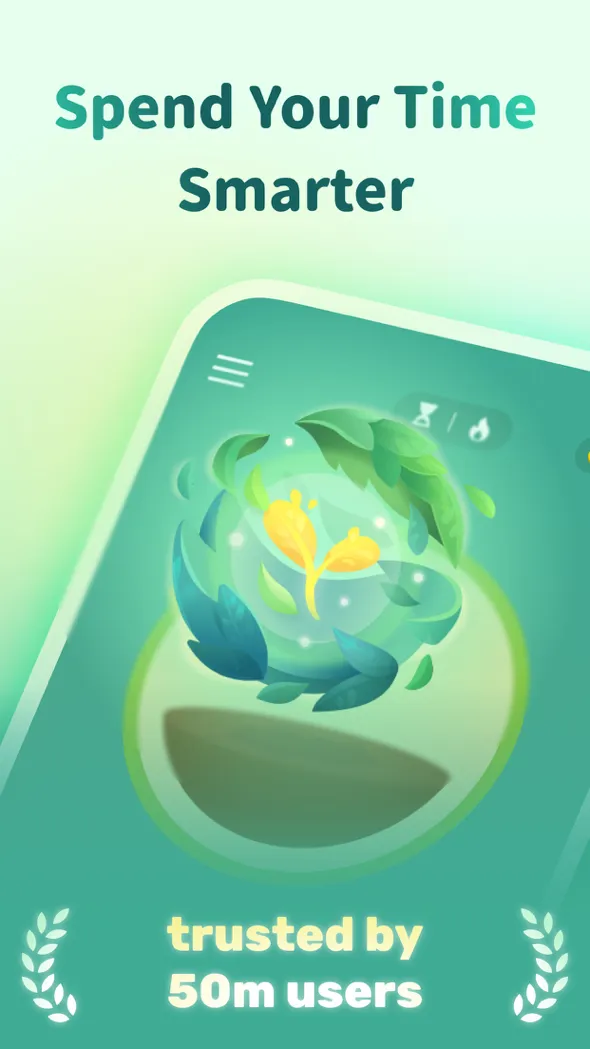 Forest grows a tree while you focus, and it withers if you leave the app.
If your phone is the thing pulling you out of study sessions, Forest helps: it grows a tree while you focus that dies if you leave the app. It is a single-purpose distraction blocker though, so pair it with Lilo if you also want planning, stats and motivation that lasts.
- Best for: staying off your phone during study time
- Platforms: iOS, Android
- Price: paid on iOS, free with premium on Android
Your back to school setup
You do not need ten apps. A focus app you will actually stick with (Lilo), somewhere to organise your semester (Notion), a way to revise (Quizlet) and a calendar for deadlines (Google Calendar) covers most students, with Rico or Pablito if you are learning a language.
The apps that change your term are not the ones you download in week one. They are the ones you still open in week ten, and the easiest way to still be studying then is to do it with friends.
Frequently asked questions
What apps do I need for back to school?
Most students only need a few: one to actually study and stay focused (Lilo), one to organise notes and your semester (Notion), one to revise (Quizlet), and a calendar for deadlines (Google Calendar). Add a language app like Rico or Pablito if you are studying one.
What is the best app for students in 2026?
Lilo Study Timer is the best all-round app for students because it combines a focus timer, a study planner, stats and studying with friends in one place, which keeps you studying long after the new-term motivation fades.
Are these back to school apps free?
Yes, every app here has a free version. Lilo, Notion, Quizlet, Rico and Pablito also offer optional premium upgrades, and Google Calendar is completely free.
What is the best free study app for school?
Lilo is a free study app for iOS and Android with a Pomodoro focus timer, a study planner, streaks and study challenges with friends, so you can start the term without paying for anything.